Project Overview
Challenge
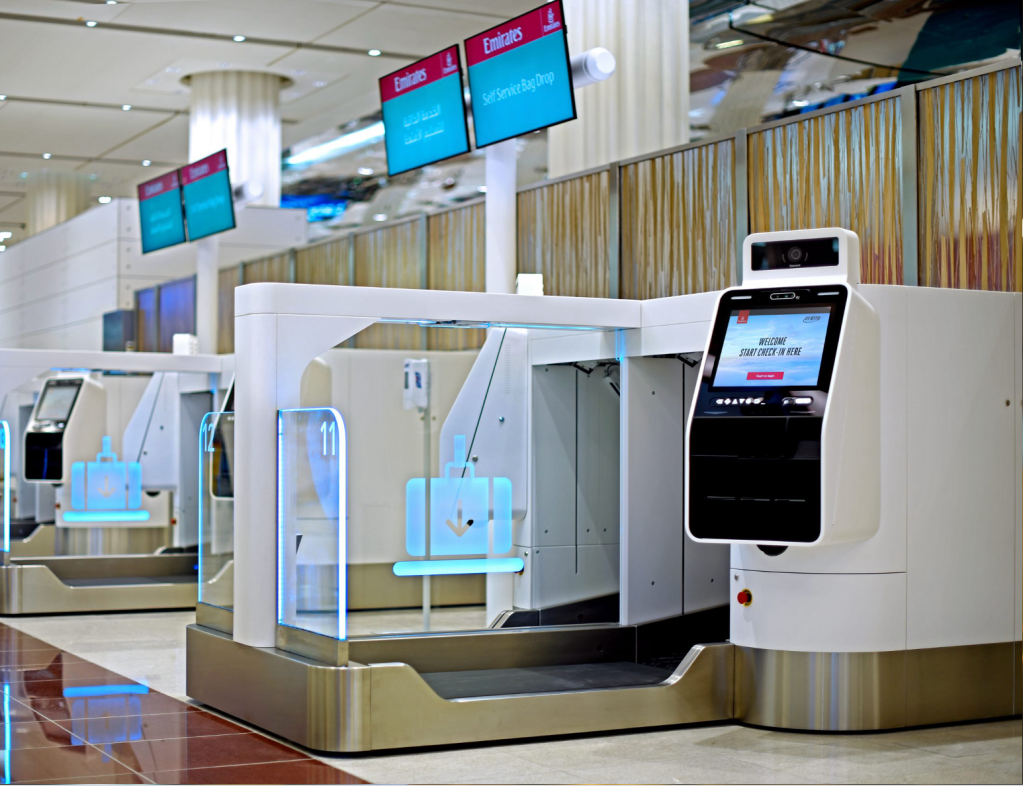
Emirates needed to redesign its self-service kiosks to create a more inclusive experience for all passengers, addressing the accessibility needs of users with different abilities. The existing kiosks lacked intuitive navigation and did not cater well to users with disabilities, leading to frustration and incomplete interactions.
My Role
As the Lead UX Designer, I was responsible for driving the project from research through delivery. This included performing an accessibility audit, leading design workshops, and collaborating with key stakeholders to ensure that the solution met both user needs and business objectives.
Approach
• Conducted an accessibility audit to identify pain points.
• Redefined the design with accessibility in mind, ensuring the kiosk interface was user-friendly and inclusive.
• Iteratively tested and refined the design based on user feedback, focusing on creating a seamless experience for passengers with varying needs.
Outcome
• Improved accessibility features, making the kiosk easy to navigate for all users.
• Enhanced user satisfaction and an increase in the number of successful self-service interactions.
• The platform was designed to be scalable, allowing for future updates and improvements to accommodate evolving user needs.
The Challenge
In today’s fast-paced world, self-service kiosks are essential touchpoints in industries like travel, hospitality, and retail. However, many kiosks lack accessibility features, making them difficult to use for a significant portion of the population, including people with disabilities. Emirates, a global leader in travel, faced this challenge with their airport kiosks, which fell short of accessibility standards, particularly for passengers with mobility and vision impairments.
As the Lead UX Designer on this project, I was tasked with conducting an accessibility audit and leading the complete redesign of Emirates’ self-service kiosks. My goal was clear: create a more inclusive, user-friendly experience that enhanced accessibility for all passengers, while simultaneously improving overall engagement and satisfaction.
My Role and Responsibilities
I led the following key efforts:
Conducting a comprehensive accessibility audit based on WCAG 2.1 guidelines and real-world usability tests to identify barriers for users with disabilities.
Redesigning the kiosk interface to improve accessibility, focusing on optimizing touchpoint sizes, color contrast, voice instructions, and screen reader integration.
Collaborating with cross-functional teams, including developers, accessibility experts, and product managers, to ensure compliance with international accessibility standards.
Implementing a user-centered, iterative design process, conducting multiple rounds of usability testing to refine the kiosk experience based on user feedback.
The Design Process
Research & Accessibility Audit
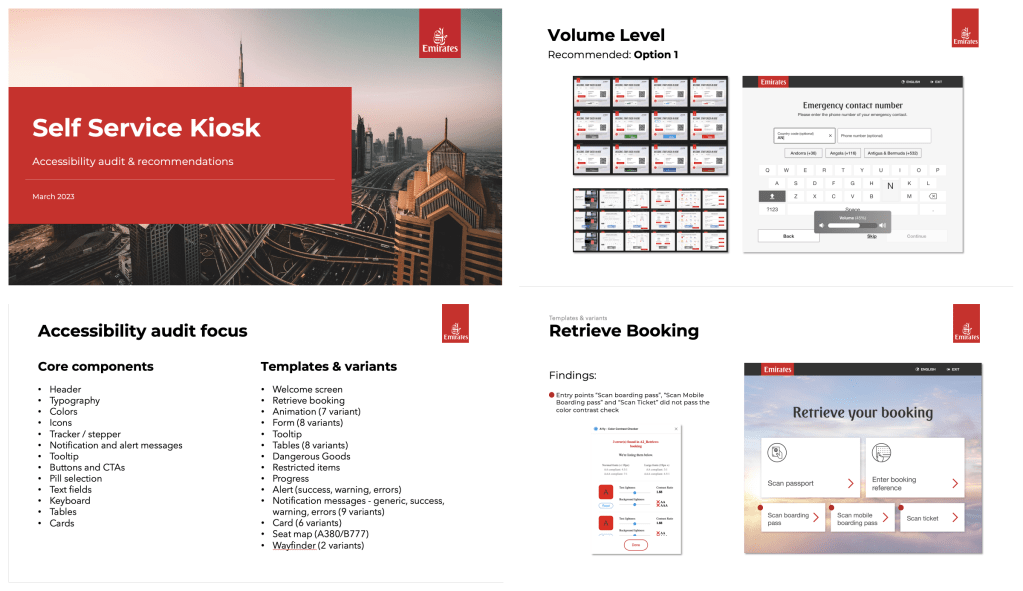
The journey began with deep research and an audit of the existing kiosks. I worked closely with the team to assess compliance with accessibility standards and ran usability tests with real users. We identified several key issues, including inadequate color contrast, small touchpoints that were difficult to interact with, and a lack of support for screen readers and multi-language functionality.
Redesigning for Accessibility
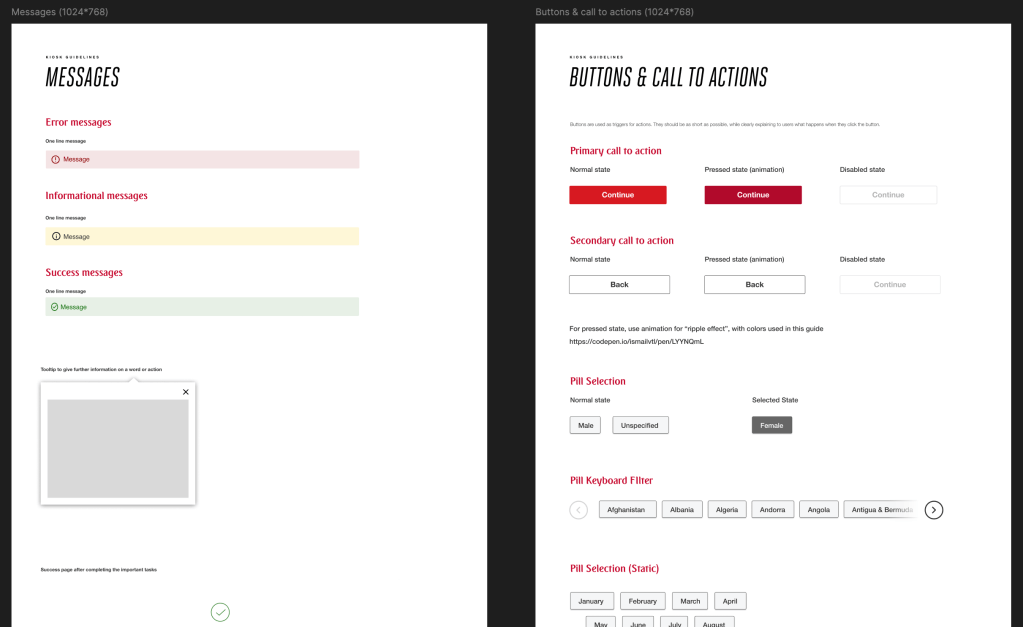
Armed with insights from the audit, I led the design of an inclusive interface that would provide a seamless experience for all users, regardless of ability. The new design featured:
Larger, responsive buttons for easy touch interaction.
High-contrast visuals to improve visibility for users with low vision.
Screen reader integration to ensure that passengers with visual impairments could navigate the kiosks effortlessly.
Multi-language support, allowing passengers from different regions to interact with the kiosks in their preferred language.
User-Centered Iterations
Through continuous usability testing and feedback loops, I was able to further refine the kiosk experience. Iterative design sprints allowed us to tweak the interface based on real user insights, ensuring that the final product was not only functional but intuitive for all users, including those with disabilities.
The Solution
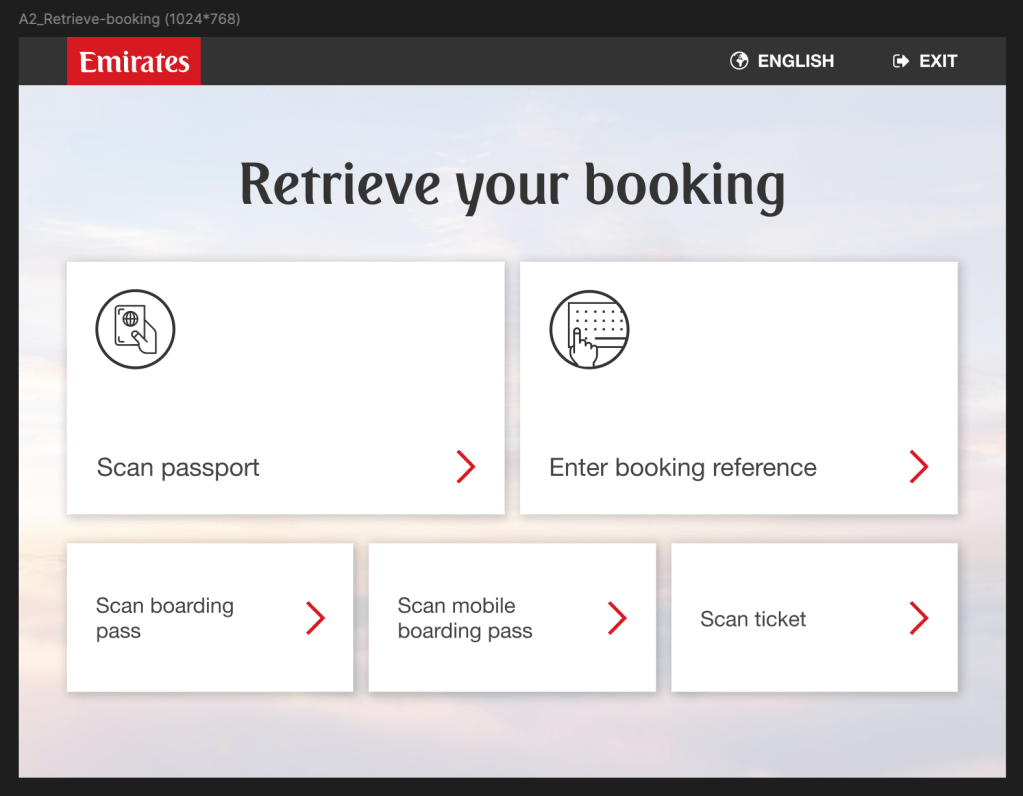
By approaching the problem with a multi-phased strategy, we created a fully inclusive kiosk experience. The final redesign was built on a foundation of user empathy and accessibility, featuring:
Comprehensive Accessibility Support
Larger touchpoints, high-contrast visuals, and screen reader compatibility ensured a frictionless experience for passengers with disabilities.
Iterative Testing
User feedback was critical throughout the process, enabling us to fine-tune the design and address any usability challenges that arose.
Future-Proof Design
The redesign was modular, allowing for future enhancements as accessibility standards evolve, ensuring the kiosks can scale with Emirates’ needs.
Results & Impact
The impact of the redesign was both immediate and long-lasting:
Enhanced Accessibility
The kiosk now fully complies with WCAG 2.1 guidelines, making it usable for all customers, including those with disabilities. The larger buttons, contrast improvements, and screen reader compatibility transformed the passenger experience.
Compliance with Global Standards
The platform met international accessibility standards, allowing Emirates to deploy the solution across multiple regions without additional development costs.
Scalability for Future Growth
The modular design allows easy updates and scaling as the business expands, ensuring long-term efficiency and customer satisfaction.
Key Learnings & Reflections
This project reinforced the importance of accessibility in user experience design. It highlighted how inclusive design not only improves the experience for users with disabilities but also enhances the overall usability of a product for all users. By prioritizing empathy, research, and iterative testing, we were able to deliver a solution that was both functional and impactful, benefiting both Emirates and its diverse passenger base.
Tools & Methods Used
Research & Audit
WCAG 2.1 guidelines, real-world usability tests, stakeholder interviews
Design Tools
Figma, Zeplin
Accessibility Plugins
A11y – Color Contrast Checker, Able (Figma)
Testing & Iteration
Usability testing, iterative feedback loops

